codex-img 0.5 and 0.6 turn generated images into a game's finished art
Sprite trimming and resizing in the same command that generates the image, clean alpha edges, batch builds from a JSON spec, removal of painted-in backgrounds, seamless panoramas, contact sheets, output that no longer changes between runs, and Windows builds.
codex-img went from 0.4.0 to 0.6.4 while I made the art for a small racing game, with Claude Code writing the prompts and running the tool. Generating went well, and images were usable on the first try. The work came after generating, in Python scripts that cropped, resized and cleaned up every image. Claude Code wrote down everything it had to build around codex-img, and these releases move it into the tool.
From prompt to sprite in one command
codex-img - -b transparent --hard-alpha --trim=4 --resize 400x300 --no-enlarge -c 160 -o kart.png <<'EOF'
Game asset sprite for a retro racing game: a small red go-kart with a driver
in a white helmet and blue suit, seen from the side... 16-bit arcade pixel art...
Isolated on a transparent background, no ground, no shadow, no text.
EOF
The backend returned a 1536x1024 PNG of 1.1 MB, and codex-img saved this 400x215 sprite of 13.7 KB. It also kept the untouched original, because there's no seed to generate it again.

--trimcrops to the visible pixels, ignoring the faint specks generated images scatter over the transparent background.--resizetakes400x,x300or400x300, and--fitdecides what happens when the aspect ratio differs.--no-enlargemakes the size a maximum.--hard-alphamakes every pixel fully solid or fully transparent. The backend never returns a fully solid pixel, which doesn't suit pixel art.-c 160reduces the sprite to a 160-colour palette.
All of it also works in codex-img convert, for images you already have, with no login and no quota.
The colour under transparent pixels
A fully transparent pixel still stores a colour, and generated images store a dark vignette with coloured glows there. On the right is the same kart with its alpha channel ignored:

When a game engine scales a texture without taking alpha into account, that colour bleeds into the edges as a dark outline. codex-img resizes with premultiplied alpha, and writes the nearest visible colour under every fully transparent pixel, as texture tools do.
A game's art from one file
The game lists its art in a JSON file, and codex-img batch reads it directly:
{
  "raw_dir": "raw",
  "out_dir": "../public/assets",
  "style": "16-bit arcade racing game pixel art, bold saturated colours, clean dark outlines, no text.",
  "defaults": {"background": "transparent", "hard_alpha": true, "colors": 160, "trim": true},
  "assets": {
    "shared/trees/oak": {"prompt": "Game asset sprite: a single big old oak tree...", "size": "1536x1024", "max": [420, 380]},
    "tracks/autumn/windmill-full": {"prompt": "A wooden windmill...", "size": "1024x1536", "publish": false},
    "tracks/autumn/windmill-sails": {"prompt": "Edit this image: only the four lattice sails...",
                                     "size": "1024x1024", "reference": "tracks/autumn/windmill-full", "max": [400, 400]}
  }
}
codex-img batch art/assets.json                # generate what's missing, then convert everything
codex-img batch art/assets.json tracks/autumn  # one folder of keys, or a single key
codex-img batch art/assets.json --dry-run      # what would be generated, without spending quota
Each key is a path, for the generated image and the finished one. style is added to every prompt, which keeps the art looking like one game. reference makes an asset an edit of another, so the windmill's sails match the windmill. A raw image is never generated twice, so deleting one is how you re-roll it, and the whole file is checked before any request. The game's 107 published assets convert in about 3 seconds.
The same input gives the same file
Running the processing again made git show unchanged sprites as modified. The palette library, exoquant, counts colours in a Rust HashMap, which is seeded randomly in every process, so the palette came out different each time. codex-img now includes a copy of exoquant that keeps the colours sorted, and the same input and options always give the same bytes. convert --force leaves a file untouched when its bytes would be the same.
Removing painted-in sea and sky
Every boat prompt said "no ground", and the model painted sea under every boat anyway. The game draws its own water, so each boat had a lighter patch at its base, and the foam left after removing the water made it float. codex-img removes it with options that don't know about water:
codex-img convert boat.png --hard-alpha --key auto --key-region bottom:30% --key-cut --trim --trim-density 0.15
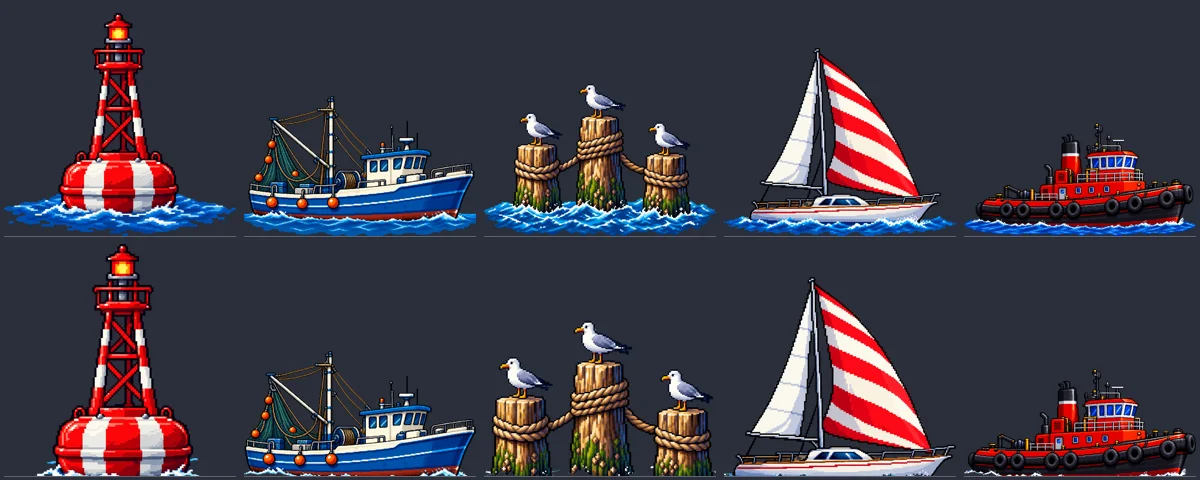
--key auto samples the colours at the bottom edge and removes them, starting from the transparent background, so the fishing boat's blue hull survives inside its outline. --key-cut removes the rows below the waterline, and --trim-density stops leftover specks from becoming the bottom edge. From the top, with --key-spread to follow a gradient, the same options remove a sky behind a building.
Panoramas without a seam
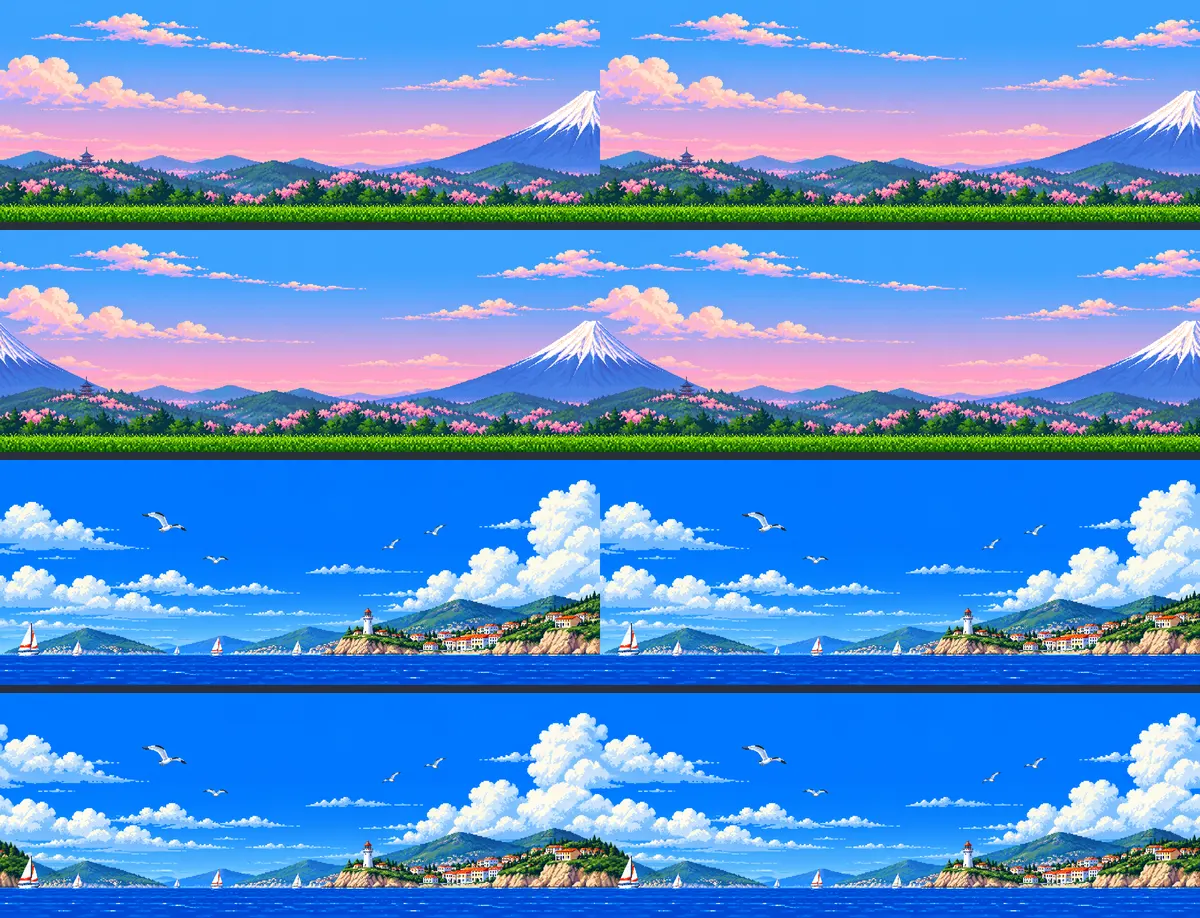
The game repeats each sky sideways. Mirroring hid the seam but put every landmark in twice. An inpainting edit with a mask would fix the seam, but the Codex image endpoint accepts a mask and ignores it.
codex-img tile works without one. It moves the seam to the middle, asks for an edit that joins it, and takes only a band around the seam from the result, so every pixel outside it stays as it was. Two skies, each repeated twice, before and after:
A contact sheet for review
codex-img sheet lays a set of images out in one grid, standing on a common line, so a sprite with empty rows under it shows a gap. The harbor picture above is one. For an agent, one image is also far cheaper to look at than twenty.
Windows and fixes
0.6.1 added Windows builds, and 0.6.2 tidied the paths batch prints. 0.6.3 and 0.6.4 come from two reviews of the code by Codex:
- A taken output name is now refused before the request. Before, the image was generated and then thrown away, because codex-img never overwrites a file.
- A new file only appears once it's completely written, so an interrupted save can't leave a broken image that
batchthen treats as done. - The declared minimum Rust is now 1.88, the version the dependencies need, and CI builds with it.
- The README now separates what codex-img controls from what has only been observed about the backend, such as which model it uses and how requests count against your plan.
Try it
Download the binary for macOS, Linux or Windows from the release page, and log in once with codex login using your ChatGPT account. The Agent Skill in the repository tells Claude Code and Codex when to use these options, including to run batch --dry-run before spending quota.